
Video guides
Easy Form Studio step by step, on video
29 short silent videos with subtitles in 14 languages: from signing in and your first cabinet to a whole kitchen, production and a quote for the customer. Start with the quick walkthrough or pick what you need. Every video has a written guide in the EFS Web manual.
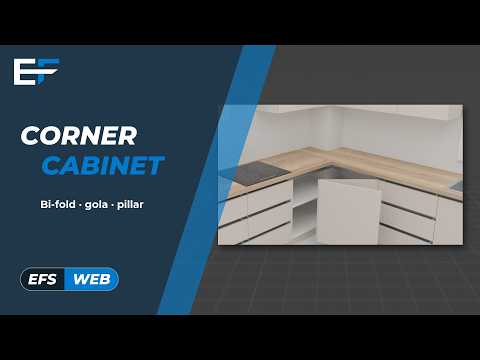
Nov 28, 2026 · Corner cabinet: bi-fold doors (Blum), gola profile and the cut-out round a pillar
What's new
New in EFS Web
Short videos of what is new, newest first.
- Nov 28, 2026Corner cabinet: bi-fold doors (Blum), gola profile and the cut-out round a pillar
- Nov 27, 2026Kitchen appliances
- Nov 24, 2026Vertical gola, JPull at the back or on the face, appliance niches, backs and fronts per field, LED in a groove, your own handles and profiles with prices
- Nov 21, 2026Customer screen; materials, hardware and PDF in Draw a cabinet
- Nov 20, 2026Board shape: notches, sloped edges, rounded corners and mitres with handles and dimensions
- Nov 19, 2026Workshop constructions: the groove only in the sides, a sink base with a set-in back, a fixed panel, GTV AXIS PRO and pull-out baskets

W00
Quick walkthrough
All of EFS Web in one video: signing in, the room, cabinets, the worktop and decors, rendering, exports and the web preview with a QR code.
Watch on YouTube ↗
A · 6 videos
Start here
Signing in, licence and projects, the interface and your first cabinet, how a cabinet is built, decors and edge tape, templates, and working faster with keys and My settings.
- 01Signing in, licence and projects
- 02The interface and your first cabinet
- 03How a cabinet is built
- 04Decors, edge tape and materials
- 05Templates and My templates
- 06Working faster

B · 8 videos
Kitchen from A to Z
A whole kitchen: the room with openings and installations, base, corner, wall and tall units, the worktop with cut-outs, kickboard and fillers, hardware, documentation for the fitters and a quote for the customer.
- 01Room, openings and installations
- 02Base units and the corner
- 03Wall units, tall units and flaps
- 04The worktop: cut-outs and the corner joint
- 05Kickboard, fillers, end panels and cornice
- 06Project hardware
- 07Room documentation for the fitters
- 08A quote for the customer

C · 7 videos
Production and CNC
From the design to the workshop: cutting list and cut size, joints, adjustable shelves, drillings and CNC export (DXF, MPR, CIX), nesting, labels, assembly instructions and the supplier order.
- 01Cutting list and cut size
- 02Joints: dowels, confirmat, minifix
- 03Adjustable shelves, System 32
- 04Drillings, DXF, MPR and CIX
- 05Nesting and board prices
- 06Labels and assembly instructions
- 07The production package and the supplier order

D · 4 videos
Wardrobes, bathroom, hallway
A wardrobe with compartments and a rail, sliding doors, a bathroom unit with siphon and pipes, and a hallway and living room from templates.
- 01A wardrobe with compartments and a rail
- 02Sliding doors
- 03Bathroom: siphon and pipes
- 04Hallway and living room from templates

E · 3 videos
For the customer
What you show the customer: a render in the browser, the web preview with a QR code and the decor comparison.
Open the playlist on YouTube ↗28 videos in 5 playlists: from installing and your first cabinet to a whole kitchen, production and a quote for the customer. Start with “Start here” or pick what you need. Every video has a written guide in the User Manual.

Nov 28, 2026 · Corner cabinet: bi-fold doors (Blum), gola profile and the cut-out round a pillar
What's new
New in the desktop app
Short videos of what is new, newest first.
- Nov 28, 2026Corner cabinet: bi-fold doors (Blum), gola profile and the cut-out round a pillar
- Nov 27, 2026Kitchen appliances
- Nov 24, 2026Vertical gola, JPull at the back or on the face, appliance niches, backs and fronts per field, LED in a groove, your own handles and profiles with prices
- Nov 20, 2026Board shape: notches, sloped edges, rounded corners and mitres with handles and dimensions
- Nov 19, 2026Workshop constructions: the groove only in the sides, a sink base with a set-in back, a fixed panel, GTV AXIS PRO and pull-out baskets
- Nov 18, 2026Handles on the selected cabinet: move and resize by dragging

A · 6 videos
Start here
Install and licence, the interface and your first cabinet, how a cabinet is built, decors and edge tape, templates, and working faster with keys and My settings.
- 01Install, licence and account
- 02The interface and your first cabinet
- 03How a cabinet is built
- 04Decors, edge tape and materials
- 05Templates and My templates
- 06Working faster: keys and My settings

B · 8 videos
Kitchen from A to Z
A whole kitchen: the room with openings and installations, base, corner, wall and tall units, the worktop with cut-outs, kickboard and fillers, hardware, documentation for the fitters and a quote for the customer.
- 01Room, openings and installations
- 02Base units and the corner
- 03Wall units, tall units and flaps
- 04The worktop: cut-outs and the corner joint
- 05Kickboard, fillers, end panels and cornice
- 06Project hardware
- 07Room documentation for the fitters
- 08A quote for the customer

C · 7 videos
Production and CNC
From the design to the workshop: cutting list and cut size, joints, adjustable shelves, drillings and CNC export (DXF, MPR, CIX), nesting, labels, assembly instructions and the supplier order.
- 01Cutting list and cut size
- 02Joints: dowels, confirmat, minifix
- 03Adjustable shelves, System 32
- 04Drillings, DXF, MPR and CIX
- 05Nesting and board prices
- 06Labels and assembly instructions
- 07The production package and the supplier order

D · 4 videos
Wardrobes, bathroom, hallway
A wardrobe with compartments and a rail, sliding doors, a bathroom unit with siphon and pipes, and a hallway and living room from templates.
- 01A wardrobe with compartments and a rail
- 02Sliding doors
- 03Bathroom: siphon and pipes
- 04Hallway and living room from templates

E · 3 videos
For the customer
What you show the customer: a one-click render, the web preview with a QR code and the decor comparison.
Open the playlist on YouTube ↗